


Voice GPS Map Navigation Route
4.616.00 Reviews
App Specs
- Version
- 2.1.0
- Updated On
- License
- Free
- Downloads
- 100,000+
- Developer
- Galaxy studio apps
- Categories
- Maps & Navigation
- Platform
- Android
Screenshots
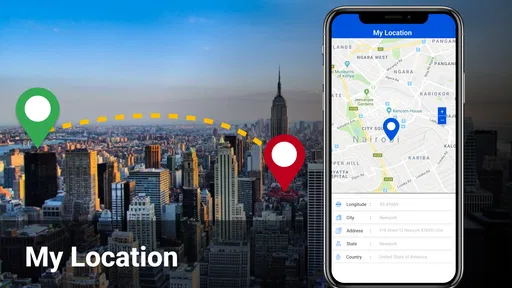
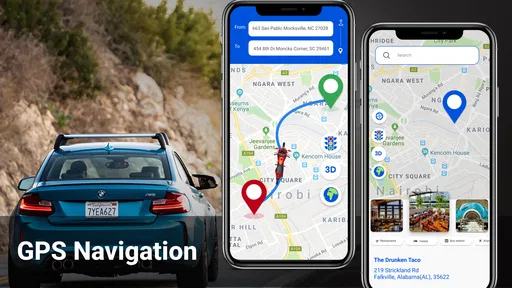
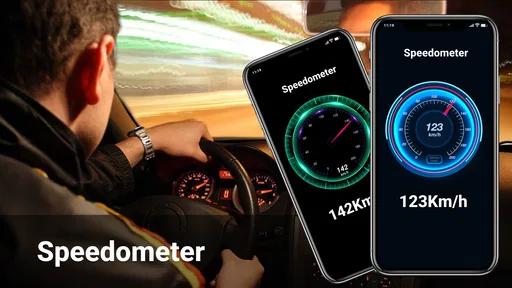
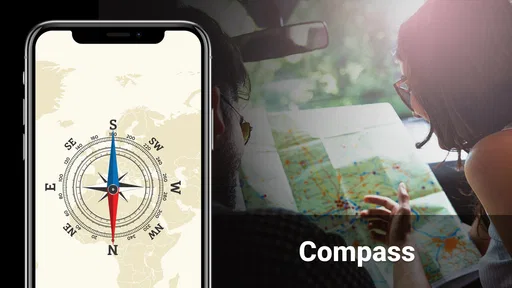


 Analysis by AppCompare
I judge a navigation app less by how many things it promises than by whether it helps me make the next decision without pulling my attention away from the road. Voice GPS Map Navigation Route is aimed at that everyday need: getting directions on a phone, following spoken guidance, and keeping an eye on changing traffic. It is a free Maps & Navigation app from Galaxy studio apps, and its 4.6 average from around 630 ratings suggests that many users have found it useful. I would still treat any navigation app as a guide rather than an authority: road signs, closures, and safe driving come first.
What I would check before choosing it
Before relying on it for a regular commute, I would try a short, familiar trip. That gives me a chance to see whether the route makes sense locally, whether the voice is easy to hear in my car, and whether the map is readable at a glance. A route that works well on a quiet neighborhood drive may feel different in a busy downtown area with quick turns, so testing somewhere low-pressure is a sensible first step.
I would also decide what kind of navigation I actually need. If I mostly want spoken turn guidance and a route to a known address, a focused GPS app may be enough. If I depend on a broader travel toolkit—such as extensive transit planning, saved places shared across devices, or detailed local business information—I would compare it with the mapping service I already use before switching. The right choice depends less on a long feature list than on what I reach for during an ordinary trip.
Where this app can earn a place
The strongest case for this app is the combination of voice guidance and traffic-aware routing. For a driver who would rather listen than keep glancing at a screen, spoken directions can make navigation feel calmer. Traffic updates matter most when a route is already familiar but conditions have changed; they can help me reconsider a congested road instead of blindly following yesterday’s routine. I would still check any suggested detour against signs and common sense, particularly when I am approaching an unfamiliar junction.
It may also suit someone who only needs navigation now and then and does not want to pay an upfront price. The app is free to install, is rated for Everyone, and has passed 100K+ installs. Its current release is version 2.1.0, with Android 6.0 as the stated minimum. Those details make it accessible to many Android users, though the presence of in-app purchases means I would inspect any paid option before confirming it. Purchases range from $0.99 to $99.99 per item, so “free” should not be taken to mean every possible extra is free.
How I would use it on a real trip
Imagine I have to drive across town for an appointment in an area I rarely visit. Before setting off, I would enter the destination while parked, check that the chosen endpoint is the right entrance or street, and start voice guidance before moving. During the drive, I could listen for turns instead of handling the phone. If traffic changes, I would weigh a reroute against the actual road signs rather than treating an altered estimate as a command. That simple routine uses the app’s core strengths while keeping the driver’s attention where it belongs.
For an unfamiliar city, I would use destination suggestions as a starting point, not a substitute for checking the exact place. Similar business names or nearby entrances can send a driver to the wrong side of a block. If I am looking for a café or another stop, I would choose it before setting off and confirm the address on the map. This is a small habit, but it prevents the awkward last-minute search that can happen when a passenger is trying to help while the car is moving.
Worth Reading Before You Choose

EA SPORTS FC Mobile 26 Is a Bigger Football Game, but It Takes Time

Flipboard Shows What News Apps Must Do Beyond the Feed

Switching to Android Auto Means Rethinking Your Driving Routine

Google Calendar Makes a Crowded Week Easier to Manage

Ludo King Makes the Most of the Minutes Between Plans

Baby Panda World Brings Quick Play to Modern Phones, but Its Game Library Feels Busy
Getting Started with Voice GPS Map Navigation Route
The first thing I noticed about Voice GPS Map Navigation Route is how easy it is to set up. After downloading it from the app store, I was greeted by a clean interface that didn’t overwhelm me with options. A quick tap, and I was ready to roll. The app asks for some basic permissions, like access to your location, which makes sense for a navigation app. So, I gave it a thumbs up and went on my way.
The main screen features a search bar where you can type in your destination. It's straightforward; just enter your desired location and the app does the rest. It even suggests nearby places if you’re not quite sure where you’re headed. I found this feature particularly useful when I was exploring a new city and wanted to find the best coffee spots around.
Features That Stand Out
One of the standout features is the voice navigation. It’s clear, concise, and available in multiple languages, which makes it super handy if you’re traveling abroad. No more peeking at your phone while driving; just listen and follow the directions. It’s like having a friend in the passenger seat who knows all the shortcuts.
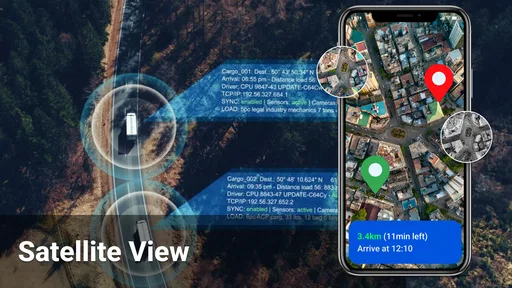
Another feature I enjoyed is the real-time traffic updates. The app constantly monitors traffic conditions and reroutes you if there’s a jam ahead. It saved me from being stuck in a gridlock more than once. Plus, it provides estimated arrival times that adjust according to the traffic, so you can plan your journey better.
For those of you who enjoy a bit of customization, the app lets you choose different map views and color schemes. Whether you prefer a classic look or something modern, there’s an option for you. And if you’re into hiking or cycling, the terrain view is a nice touch, showing you all those hills you’re about to conquer.
Using It on the Go
Using the app while on the road is a breeze. The interface is intuitive, and the buttons are large enough to tap without fumbling, which is crucial when you’re on the move. I also appreciated the app’s offline capabilities. You can download maps for specific areas and use them without an internet connection. This is a lifesaver if you’re traveling in regions with spotty network coverage.
For a more reliable offline trip, I would prepare before leaving: download the area while I have a connection, then check that the route and destination are still visible before setting out. Offline navigation can be a useful fallback, but I would not assume every online detail will behave the same way without a network. Traffic conditions can change, and a saved map cannot tell me what is happening on the road at that moment. I would plan fuel, rest stops, and any critical turns rather than expecting the phone to solve every uncertainty.
The app also integrates well with other services. For instance, you can sync it with your calendar to get reminders about upcoming appointments and even set navigation to those events with a single tap. It’s like having a personal assistant who’s always got your schedule in check.
Where another map app may be better
I would not switch away from a well-established mapping app without a reason. Some drivers value a navigation app that is tightly connected to the places, lists, and routines they already use; others want the strongest possible coverage of public transport, walking routes, or local discovery. Those are different priorities from simply receiving a spoken driving route. If my day involves changing between a train, a walk, and a car, I would compare the whole journey-planning experience instead of judging only the driving screen.
Likewise, people who travel through remote areas should test coverage on the roads they actually use. Offline maps can help when data service is unreliable, but advance preparation is still important, and live traffic depends on current information. I would not make this my sole plan for a remote trip until I had checked the route and downloaded the relevant map area. A paper map or another navigation option can be a sensible backup when getting lost would have serious consequences.
There is also a practical switching cost. I may have to relearn where to search, how to read the route display, and whether the app’s suggested paths match my preferences. A few test drives are a better way to assess that than replacing my usual navigator the night before a long journey. If the app feels clear on familiar roads and handles the kinds of destinations I visit, then I have a reason to keep it; if I repeatedly need to correct its choices, convenience quickly disappears.
Final Thoughts
In conclusion, Voice GPS Map Navigation Route is more than just a navigation tool; it’s a companion that makes traveling easier and more enjoyable. Whether you’re commuting to work, exploring new cities, or heading out on a road trip, this app has got you covered. With its user-friendly interface, real-time updates, and reliable voice navigation, it stands out as a must-have app for anyone who’s always on the go.
So, if you’re tired of getting lost or just want a more seamless travel experience, give Voice GPS Map Navigation Route a try. It might just become your new favorite travel buddy.
My recommendation is to give it a low-stakes trial if spoken directions, traffic-aware routing, and a straightforward destination search are what you need most. I would skip it as my primary choice if I rely on one app for complex multimodal trips or need to trust navigation in places I have not prepared for. Used with a quick route check and sensible attention to the road, it can be a practical free option; the best test is whether its guidance fits the way you actually travel.
Pros
- Accurate real-time traffic updates.
- Easy-to-use voice-guided navigation.
- Offline maps available for download.
- Clear and intuitive interface.
- Supports multiple languages.
Cons
- Consumes significant battery power.
- Requires large storage space for offline maps.
- Occasional GPS signal drops.
- Advertisements can be intrusive.
- Limited customization options.
FAQs for Voice GPS Map Navigation Route
What features does the Voice GPS Map Navigation Route app offer?
The Voice GPS Map Navigation Route app provides real-time turn-by-turn navigation with voice instructions, live traffic updates, and alternate route suggestions. It also supports offline maps, which are useful in areas with weak internet connectivity. Users can search for nearby points of interest like restaurants, gas stations, and hotels.
Is the Voice GPS Map Navigation Route app free to use?
The app offers a free version with basic navigation features. However, for advanced functionalities, such as ad-free experience, offline maps, and premium traffic updates, users might need to purchase a subscription or make in-app purchases. It's advisable to check the app store for specific pricing details.
Can the app be used offline, and how do I download maps?
Yes, the app supports offline usage by allowing users to download maps for specific regions. To download maps, access the app’s settings or offline maps section, select your desired area, and download it while connected to the internet. Once downloaded, you can navigate without an active internet connection.
How accurate is the voice navigation feature?
The voice navigation feature is generally accurate, providing clear and timely instructions. However, accuracy can depend on the quality of your GPS signal and map data. Regular updates and maintaining a stable internet connection can enhance the app's performance and ensure the latest route information is available.
What should I do if I encounter issues with the app?
If you experience problems, try restarting the app or your device. Check for app updates, as issues are often resolved in newer versions. Consult the app's help section or FAQs. If problems persist, contact customer support through the app or the app store for further assistance.


